Lisbon today · Bali on Monday
 Lisbon today ·
  Bali on Monday
Stop getting booked at 3 AM.
One booking link that switches timezone when you land. Add your trips, share the link, and people only see your working hours.
Sign in with Google
Every booking link assumes you never leave home.
Meetings at 3 AM
Your hours stay pinned to home, so people book you in the middle of your night.
Booked on your flight
Nothing knows you're in the air, so the travel day fills up like any other.
Double-booked
Work and personal calendars don't talk, so the same hour gets taken twice.
How it works
Set it up once. Share it forever.
Location
Lisbon
then Bali from Mon 19 Oct
meetwherever.com/kabir
Book 30 minutes with Kabir
Kabir is in Lisbon · from Mon 19: Bali
Times shown in New York · Tue 20 Oct
 New York · Tue 20 Oct
✓You're booked with Kabir
Tue 20 Oct, 9:30 PM your time
Wed 21 Oct, 9:30 AM in Bali for Kabir
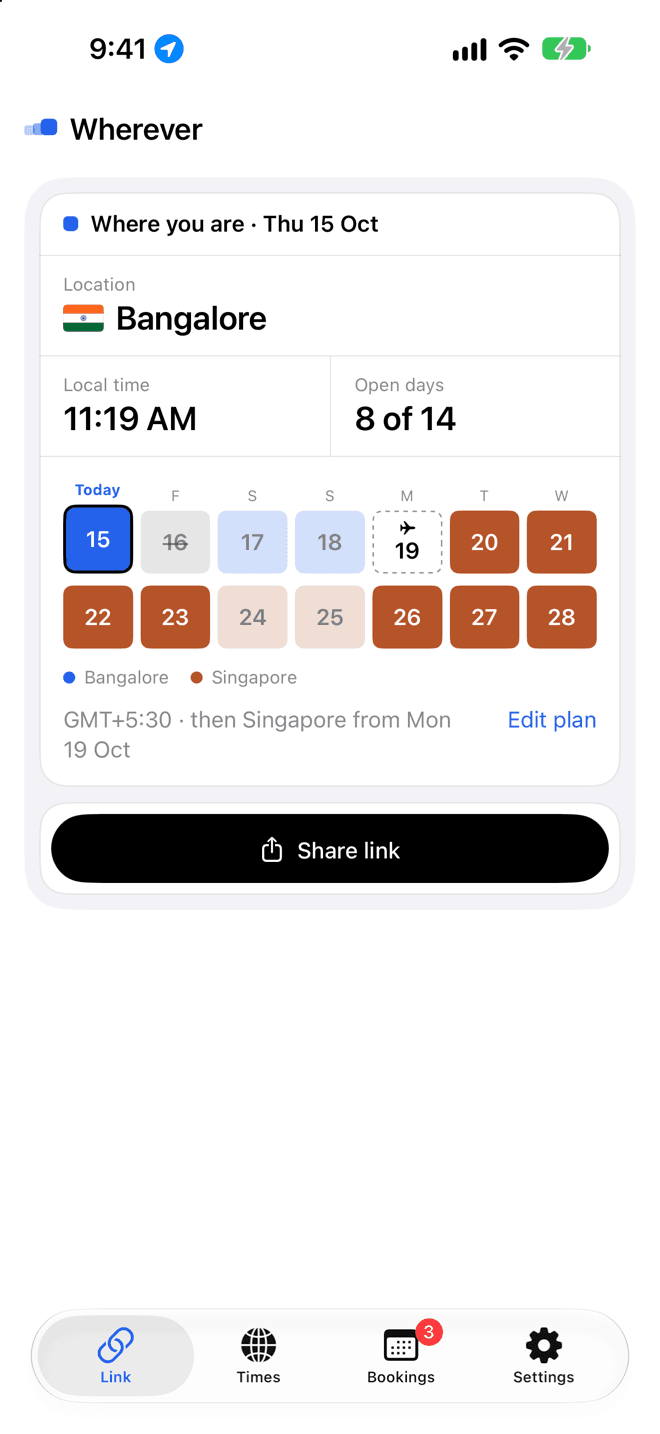
Tell it where you'll be
Add a trip when you book the flight. Your 9 to 6 follows you to each city.
Keep busy days free
Tap a day to block it. The day you fly is kept free for you.
Share it anywhere
One tap opens your share sheet: Messages, Mail, Slack or Copy. No questions, no settings.
They book in their time
Priya in New York picks 9:30 PM on Tuesday. It lands at 9:30 AM Wednesday for you in Bali. Nobody does timezone maths.
How people book you
They see your day in their time.
- No account, no app. They open your link and pick a time. That's it.
- Their timezone, automatically. Slots show in their own clock, with yours underneath so nobody gets it wrong.
- Where you'll be that day. The page says where you are now and where you're headed, so a Monday call lands in Bali hours.
- On both calendars. After booking they get Add to Google Calendar or a calendar file, and you see it in Bookings.
Book 30 minutes with Kabir
Kabir is in Lisbon GMT+1
From Mon 19 Oct: Bali (GMT+8)
Times shown in New York
Tuesday 20 October
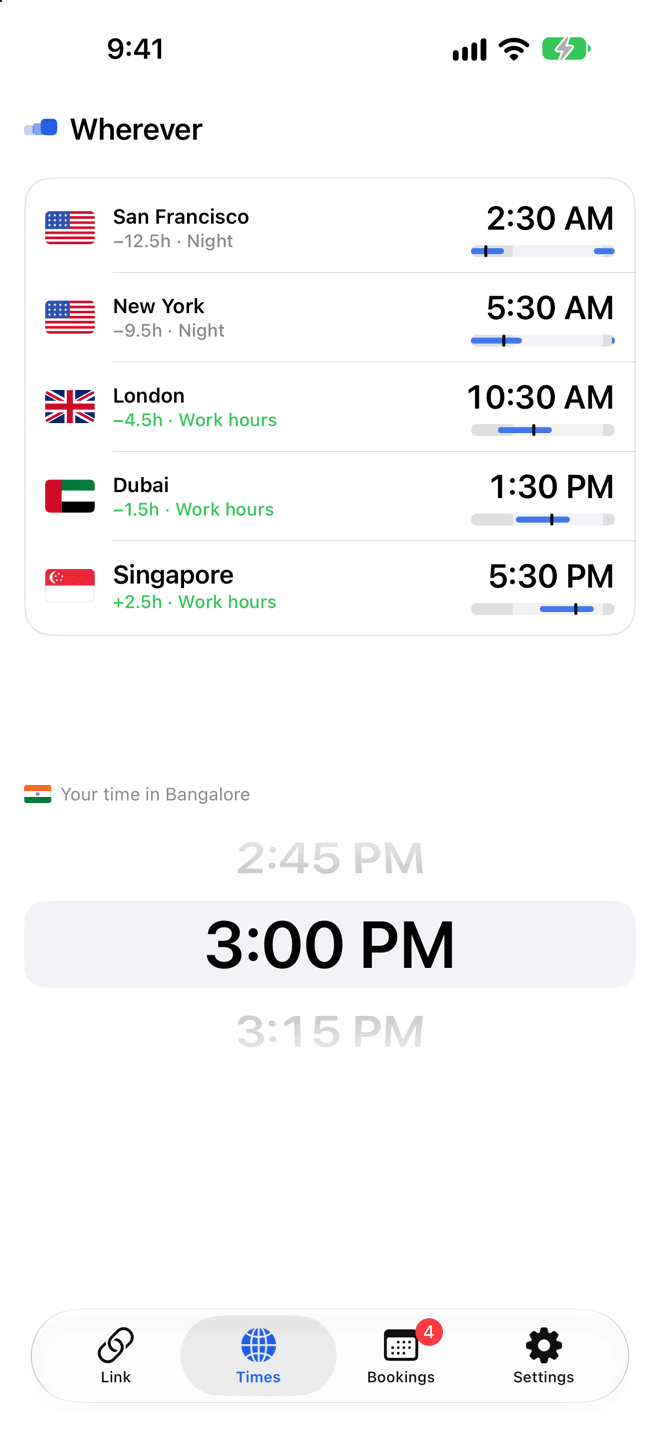
Time across the world
Scroll your day. See theirs.
Spin the wheel to any time of your day and every city follows: their clock, whether it's work hours, early, evening or night, and where it falls in their day. Picking a time for a call takes a second.
Your bookings
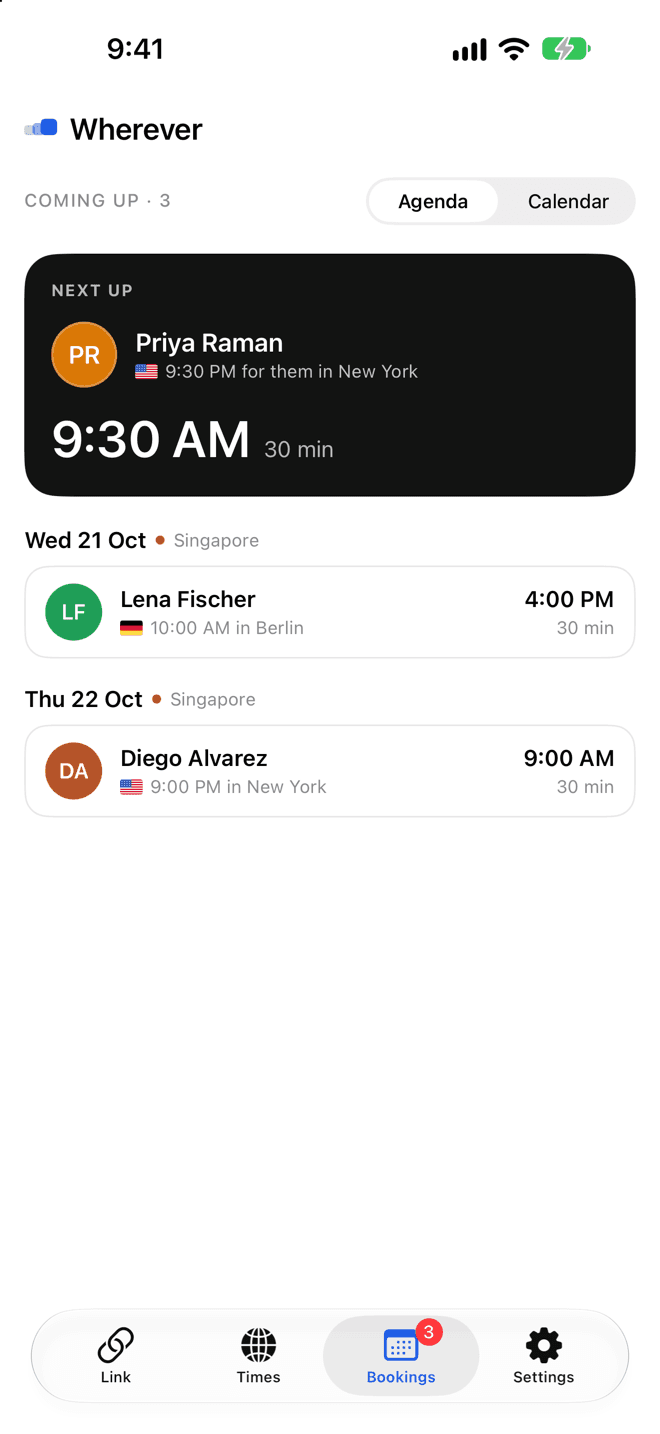
Every meeting, on both clocks.
Your next meeting up front with a countdown, then everything else grouped by day and the city you'll be in. Each booking shows their time and yours, with one tap to join or add it to your calendar.
On your home screen
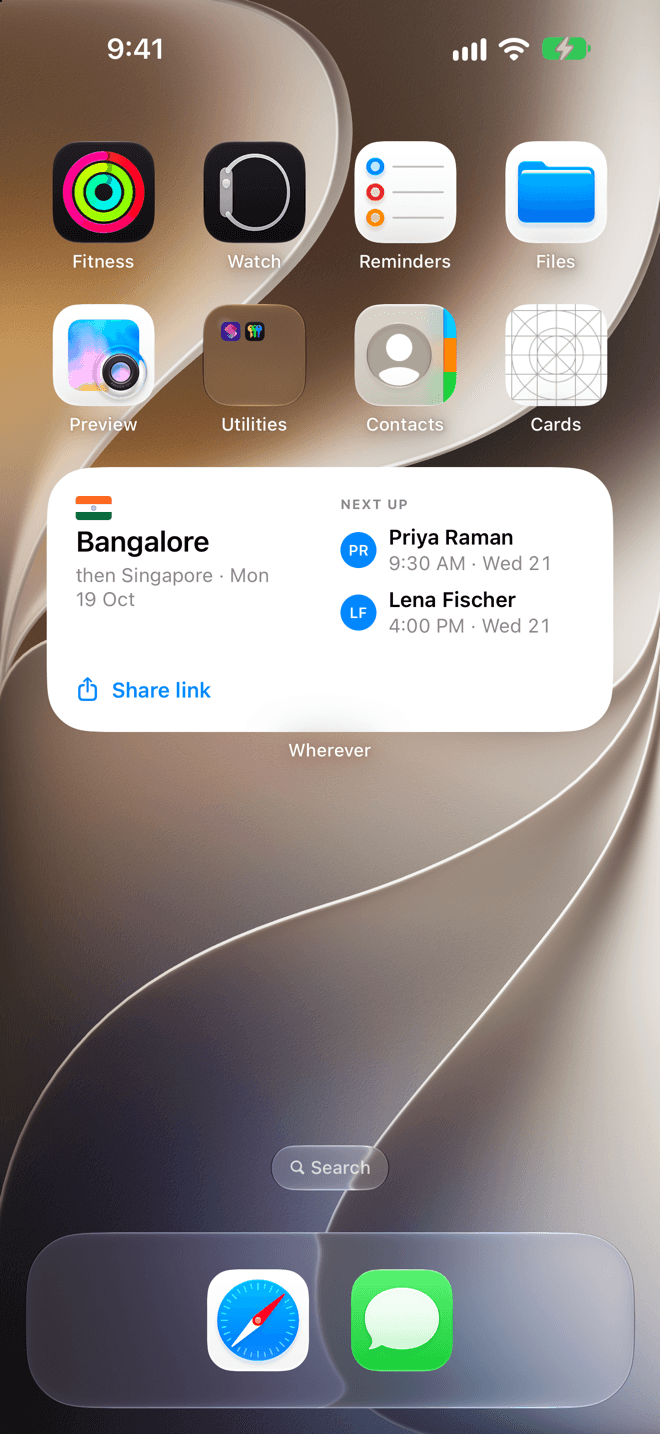
Where you are and who's next, at a glance.
The widget shows the city your link is in, your next stop and your next meetings. Tap it and the share sheet opens with your link. There's a lock screen version too.
Built for people on the move
Everything a travelling calendar needs.
- ✈
Follows you
Add a trip once. Your link switches city, timezone and hours on the day you land.
- ▦
Every calendar
Connect work and personal Google accounts. Busy in any of them means busy on your link.
- ◐
Both clocks
Every slot shows their time and yours, so nobody does timezone maths again.
- ✕
Busy days in a tap
Tap a day on your strip to keep it free. The travel day is kept free for you.
- ◎
Only your city
Visitors see a city and a timezone. Never coordinates, never where you've been.
- ▢
Web, iPhone and widget
Share from your laptop, your phone or your home screen. The iPhone app notices when you land.
Private by design
Sharing your link means sharing your city. Nothing more.
Only busy times are read from your calendars, never what your meetings are.
Your position is turned into a city on the spot and never stored on our servers.
Visitors never get location updates after they book. Delete everything any time.
Share a link that's never wrong.
Set it up in under a minute. Your link takes care of the timezones.
Sign in with Google